Elevate Your Etsy Shop with Dynamic Device Mockups
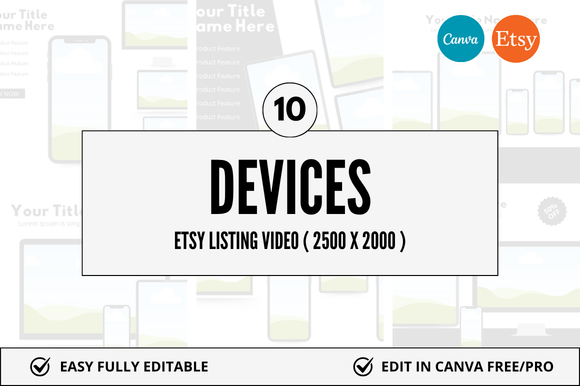
Capturing a potential customer's attention in the bustling digital marketplace of Etsy requires more than just a great product; it demands a compelling visual presentation. For sellers of digital downloads, showcasing your work in a realistic, engaging context is crucial. This is where a 10 Device Etsy Video Mockup becomes an indispensable asset, transforming static listings into dynamic, professional previews that build trust and drive conversions.
Why Dynamic Mockups are Essential for Modern Sellers
In graphic design and visual communication, context is everything. A beautifully designed planner, invitation, or social media template can lose its impact when presented as a flat file. A video mockup solves this by placing your design on familiar devices—like tablets, laptops, and smartphones—in a fluid, eye-catching format. This not only demonstrates the file's versatility and real-world application but also aligns with contemporary design trends that favor motion and interactivity. For the Etsy seller, this translates to a stronger brand identity, a more professional shop appearance, and a significant reduction in customer hesitation.
Practical Applications Across Your Digital Business
The utility of high-quality Canva mockup templates extends far beyond a single listing. They are a cornerstone of a cohesive visual strategy. Consider integrating them into:
- Branding & Marketing Materials: Use consistent mockups across your Etsy shop banner, social media graphics, and promotional emails to create a unified brand experience.
- Social Media Content: Create stunning Instagram Reels, TikTok videos, or Pinterest pins that showcase your digital products in action, significantly boosting engagement and click-through rates.
- Website & UI Design Previews: Perfect for designers selling website themes or UI kits, allowing clients to visualize the final product on multiple screens.
- Editorial & Packaging Design: Illustrate how your printable art or stationery designs would look framed, printed, or in a consumer's hands, adding a tangible feel to a digital product.
Maximizing Impact with Smart Design Choices
Simply using a mockup isn't enough; thoughtful execution is key. When selecting and customizing your Etsy Video Canva Mockup, consider these principles from a professional design workflow:
- Maintain Visual Hierarchy: Ensure your design remains the star. The mockup should complement, not overpower. Use clean backgrounds and subtle device frames to direct focus.
- Ensure Brand Consistency: Select mockups whose aesthetic (minimalist, rustic, colorful) matches your shop's overall brand identity. Consistency in color palette and typography across all mockups strengthens recognition.
- Prioritize Readability & Clarity: Your design must be clearly legible on the mockup devices. Avoid overly complex scenes that distract from the product details.
Investing in a versatile bundle, such as one offering multiple device angles and customizable Canva templates, saves countless hours and provides a scalable solution for your entire product line. It streamlines your design workflow, allowing you to focus on creating while presenting each item with the polished, professional aesthetic that today's discerning Etsy buyers expect. Ultimately, quality creative assets are not just about decoration; they are powerful tools for clear communication, building perceived value, and turning casual browsers into confident customers.